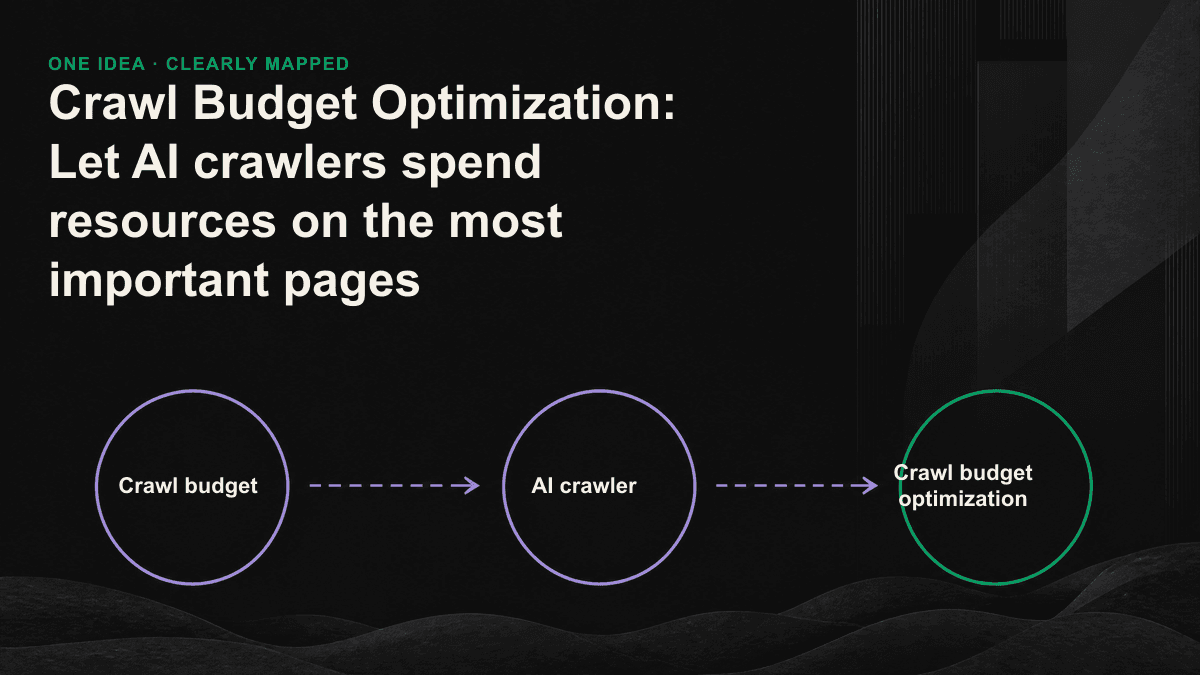
The crawling power of AI crawlers is not unlimited, and they end up exhausting their efforts on the wrong pages more often than you think. It is likely that more than half of the times a medium or large website is crawled by GPTBot, ClaudeBot, or PerplexityBot every day fall on URLs that will never be referenced, such as pagination, filter parameters, and old activity pages. The result is: the product pages and comparison articles that you really want to be cited by AI are updated the slowest and are re-crawled the least frequently. What you need to do to optimize the capture budget is to connect this water pipe back to the correct outlet.
The more AI crawlers can catch, the better.
The concept of crawl budget (crawl budget) used to be mainly a Google issue. It refers to the amount of crawling that the search engine is willing to spend on your website. It is determined by two things: how much the server can bear (crawl rate limit), and how much the engine thinks you are worth crawling (crawl demand). Entering the GEO era, the number of players has grown from one to a dozen, and each has a different appetite and politeness. According to the server logs of some websites, the crawl volume of ClaudeBot and GPTBot has approached or even exceeded that of traditional Googlebot. Most of them do not execute JavaScript, are sensitive to response speed, and do not automatically become smart when encountering a large number of low-value URLs - whatever you feed them, they will crawl.
First figure out who is spending your budget
Before optimizing, you must first know who is responsible for the bill. Different AI crawlers serve different purposes: some are used to train models, some are used for real-time retrieval (crawling only when the user asks questions during the conversation), and some are used for both. This difference determines whether you want to release it, and where you want it to catch it first after releasing it. The following are the most common ones currently found in most B2B website logs. Remember their user agent names, which will be used later in log analysis and robots.txt settings.
- GPTBot (for OpenAI training), OAI-SearchBot (ChatGPT real-time search)
- ClaudeBot/Claude-User (Anthropic training and real-time retrieval)
- PerplexityBot/Perplexity-User (Perplexity indexing and instant crawling)
- Google-Extended (controls whether Gemini uses your content, does not affect general search rankings)
- Amazonbot, Bytespider, Meta-ExternalAgent (big appetite, often underestimated crawling sources)
Three signs: Your crawl budget is leaking
- More than half of the crawler requests in the log hit URLs with question mark parameters, sorting or filtering, rather than your core content page.
- It has been more than two or three weeks since the last time important pages (newly released comparison articles, pricing pages, cases) were crawled by AI crawlers.
- The crawler frequently hits 404s, 301 redirects, or pages that take three or four seconds to respond, and every time, budget is wasted.
The larger the scale, the more obvious it becomes. An image website with only 30 pages hardly needs to worry about the crawl budget; but as long as you have e-commerce categories, blog pagination, multi-language versions, or filter navigation that generates a large number of parameter combinations, the number of URLs that can be crawled will easily expand to dozens of times the actual content pages. The crawler's budget is fixed, and the extra URLs will not give you more URLs, but will only dilute the chances of important pages being crawled.
Use server logs to find leaks
Guessing is useless, you have to look at the logs. The most honest source of data for the crawl budget is the server's access log. By filtering out the user agent of the AI crawler, you can calculate three things: how many times each crawler crawled, what types of URLs their requests are distributed on, and the proportion of hitting different status codes (200, 301, 404, 5xx). Most waste will be concentrated in a few patterns: parameter combinations generated by faceted filtering, on-site search results pages, endless pagination, and old activity pages that should have been closed long ago. Measure it first to know which section of water pipe can save the most by turning it off. Visibility tracking like AI visibility monitoring tells you whether you have been cited, and logs tell you where crawlers spend their time. You need to compare the two.
Six actions to import budget back to important pages
- Use Disallow in robots.txt to block in-site searches, filter parameters, shopping carts, and other paths that never need to be caught, thus saving requests directly from the source.
- Setting canonical for duplicate or near-duplicate pages allows the crawler to focus its budget on the standard version instead of crawling every ranking variant.
- Clear the 301 redirection chain and dead links internally to 404; every time the crawler follows a redundant redirection, it will crawl one less real page.
- Maintain a clean XML sitemap that only contains indexable URLs, and let lastmod honestly reflect the update time to help crawlers determine which pages to go back and re-crawl.
- Use internal links to direct weight and crawl paths to core pages - most AI crawlers do not run JavaScript. Menus and related articles must use real HTML links instead of relying on front-end dynamic generation.
- Reduce the time to first tuple (TTFB) and page size. The faster the response, the more pages the crawler can crawl within the same budget.
The first thing fed to the AI crawler is the "answer type" page.
The budget you save should be spent on the right things. For GEO, the pages that deserve to be prioritized and crawled frequently are those pages that can directly answer the question, have a clear structure, and are easy to extract cleanly: clearly defined terminology pages, comparison articles with specific numbers, tutorials with steps, and product pages with FAQs. These are the sources the AI engine is most likely to reference when generating answers. Putting them in the front part of the sitemap, using internal links multiple times, and keeping the content fresh is a clear way to tell crawlers: This is a place worth visiting frequently. In contrast, thank you pages, login pages, and infinite scrolling tag collection pages should be kept out.
The focus of crawl budget optimization has never been to make the crawler crawl more, but to make it hit a page you want to be referenced by the AI every time it crawls.— Tenten GEO Consulting Team
This matter is not settled once and for all. The website will grow new parameters, marketing will launch new activity pages, and revision will create new redirection links. Crawl budget loopholes will continue to be generated, so log analysis must be included in fixed actions every quarter, keeping an eye on the crawler's hit rate and the re-crawl interval of important pages. If you are not sure where the AI crawler is currently spending time on your website and which pages that should be referenced are not being captured at all, you can schedule a 30-minute GEO diagnostic session and we will use your server logs to point out the leaks to you.