If you want ChatGPT to cite your website in answers, the first tool you should open is not ChatGPT, but Bing Webmaster Tools. ChatGPT's web search has long been based on Bing's index. Microsoft's cooperation with OpenAI has made Bing one of its main sources of information; if Bing cannot crawl or index your page, ChatGPT has almost no chance of listing you as the source. This is the underlying technology that most GEO discussions skip, but it is the section with the least investment and the most direct return.
Exposure of ChatGPT, why should we start with Bing index?
OpenAI currently uses three crawlers to handle different tasks: GPTBot grabs data for model training, OAI-SearchBot builds a referenceable content index for the ChatGPT search function, and ChatGPT-User grabs pages in real time when the user requests browsing. These three are independent of Bing's Bingbot, but in actual operation, the source list returned by ChatGPT search has a high degree of overlap with Bing's web search. The reason is not difficult to understand: it is extremely expensive to build a self-built index for the entire network. Directly integrating Bing’s ready-made indexing and ranking signals is the most labor-saving approach.
For B2B SaaS in Taiwan, this brings a practical conclusion: your ranking in Google may not necessarily equal whether ChatGPT will cite you; but whether you are cleanly indexed in Bing and the content structure is clear directly determines whether the AI engine can extract you as an answer. Most teams invest all their budgets in Google, and Bing's backend has never been logged in, which is equivalent to leaving an entire exposure pipeline there.
Step 1: Verify website and submit Sitemap
After creating an account in Bing Webmaster Tools, there are two shortcuts that can save most of the settings. One is to import it directly from Google Search Console. Bing will bring your verified website and Sitemap and it will be completed in a few minutes. The second is manual verification, which is suitable for websites without GSC. The most critical action after verification is to submit an XML Sitemap so that Bing can get all the URLs you want to index at once instead of waiting for it to crawl slowly on its own.
- Import from Google Search Console: Fastest, verified site sync directly with Sitemap
- XML file verification: Download BingSiteAuth.xml and upload it to the website root directory
- HTML meta tag: Put the meta tag provided by Bing into the head block of the homepage
- DNS CNAME record: Add a CNAME in the domain provider's backend, suitable for managing the entire domain together.
Use a URL check tool to confirm whether it is indexed
Submitting a Sitemap does not equal being indexed. Bing Webmaster's URL checking tool can tell you page by page: whether this URL has been indexed, when was the last time Bing crawled it, whether it was blocked by robots.txt, and what errors were made during crawling. When doing GEO audits, we often catch problems here: the page can be opened in the browser, but Bing reports "explored but not indexed". If we follow up, it is often because the canonical markup is incorrect, the content is judged to be too thin, or the server returns a non-200 status code to the crawler. Check the key pages page by page, that is, the product page, pricing page and core blog, to find the crux faster than looking at the entire site report.
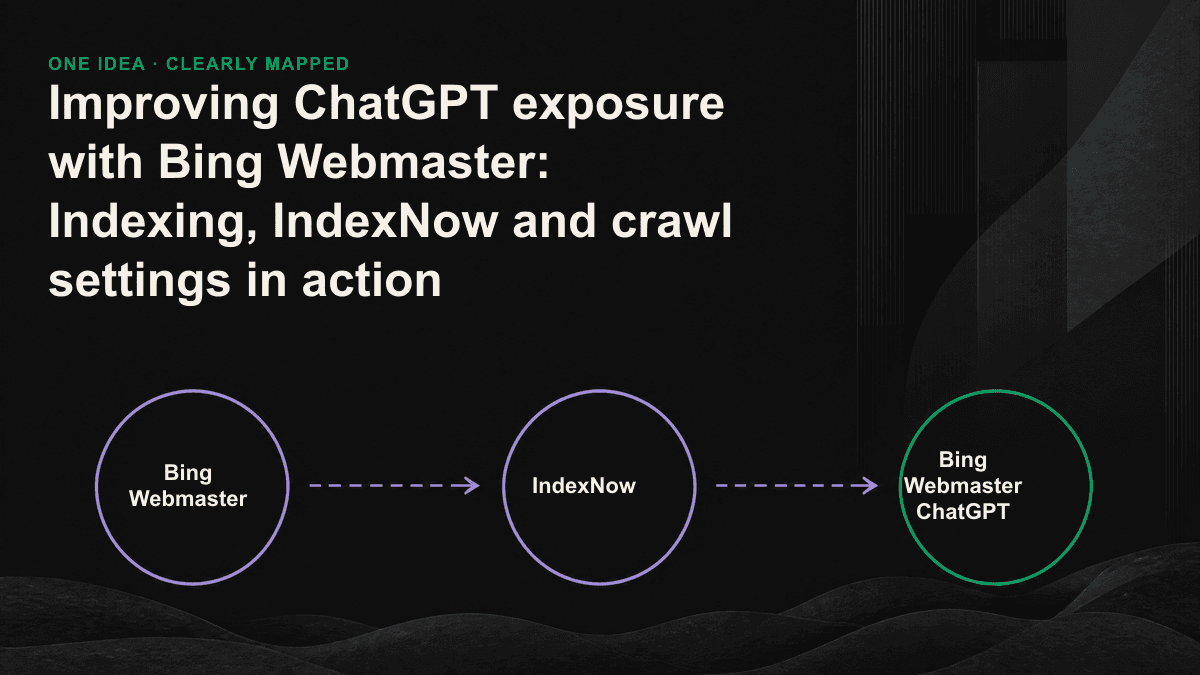
IndexNow: New content caught within hours
By default, Bing has to schedule a return visit to find out what you have updated. If it is slow, it will take several weeks. IndexNow does this in reverse: every time you publish or change a page, it actively pushes a notification to Bing, telling it that these URLs have changed and are here to be captured. IndexNow is co-sponsored by Microsoft and Yandex, and Bing is the first level of support, usually returning within a few hours of submission. For content engines that update frequently, this is the fastest way to get new articles into the citation range of AI.
- Generate an API key: a string of 32 to 128 hexadecimal characters
- Put the key into a plain text file: put it in the root directory of your domain, such as "key.txt", the content is the string of keys
- Push URL: Send a POST to api.indexnow.org or bing.com/indexnow with host, key, keyLocation and urlList
- Access the publishing process: automatically triggered in the CMS or deployment script, and new articles will be pushed as soon as they are online
robots.txt: Don’t shut out ChatGPT’s crawlers
Many websites have copied a conservative robots.txt when setting up their websites, or installed security plug-ins that block AI crawlers. As a result, they block the exposure they want. If you want to be cited by ChatGPT, you must release at least three crawlers: Bingbot is responsible for Bing indexing, OAI-SearchBot is responsible for including you as a citable source in ChatGPT search, and ChatGPT-User handles the real-time browsing triggered by the user. Whether or not to release GPTBot is a strategic choice - it captures model training data and has nothing to do with current citations. Some brands are willing to use it in exchange for being remembered by the model for a long time, while others choose to block it.
- Bingbot: Release. This is the basis of Bing indexing. Blocking it means losing both Bing and ChatGPT searches.
- OAI-SearchBot: Release. Determines whether you can appear in the source list of ChatGPT searches
- ChatGPT-User: Release. This is only used when the user asks ChatGPT to read your page.
- GPTBot: Look at the strategy. It only affects the training data and does not affect whether it can be cited at the moment.
Capture settings and monitoring into a repeatable process
After release, what remains is maintaining index health. Bing Webmaster's crawl statistics will show how many pages Bingbot crawls every day and how many errors it encounters. If the crawl error number suddenly jumps up, it usually means that the server response is slowing down, a large number of 404s are popping up, or a certain revision has broken internal links. By including this report as a monthly check, and using AI visibility monitoring to track the frequency of your actual appearance in AI answers, you can connect the two ends of technical indexing and real visibility - the former ensures that AI can catch it, and the latter tells you whether it is actually cited after being caught.
This process is not difficult, but the difficulty lies in whether there is someone who regularly executes it: verify Bing, submit Sitemap, connect to IndexNow, release the right crawlers, and check the crawl statistics once a month. Once set up, it can last for a while, but any step such as website revision, CMS change, or robots.txt modification may quietly close the door of ChatGPT. If you are not sure whether your current Bing index status or robots.txt has blocked AI crawlers by mistake, you can book a 30-minute GEO diagnostic session. We will use URL checking tools and crawler records to point out the gaps to you.